
Everything you need.
Queues, dashboards, visual automations, a script editor, AI assistant, client portal, file storage, and integrations — all included on every plan.
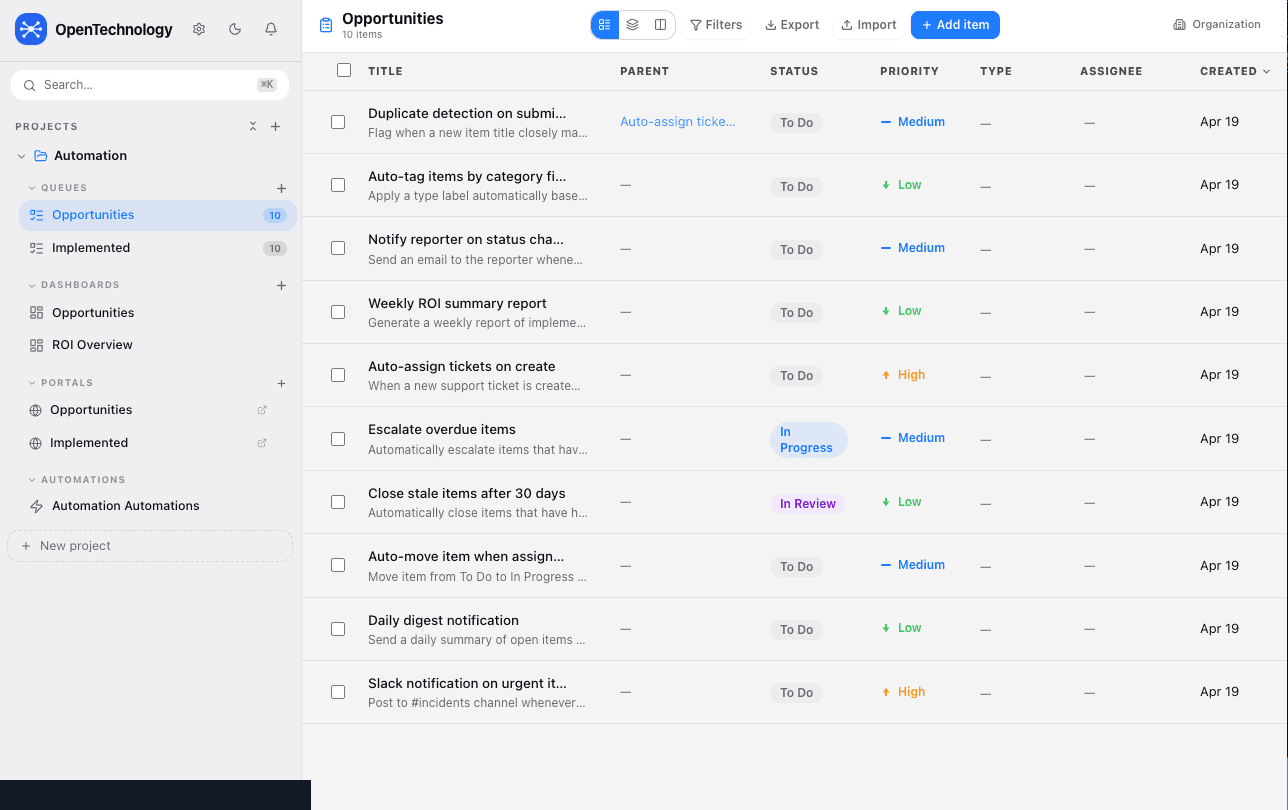
Task queues
Structured queues organize every item with status, priority, type, and assignee — all in one clean view.
- ✓List/Table, Groups, Kanban, and Feed views with saved view presets
- ✓15 custom field types including date ranges, ratings, and number ranges
- ✓Parent/child item relationships and linked items
- ✓Bulk import (CSV/JSON) and filtered CSV export
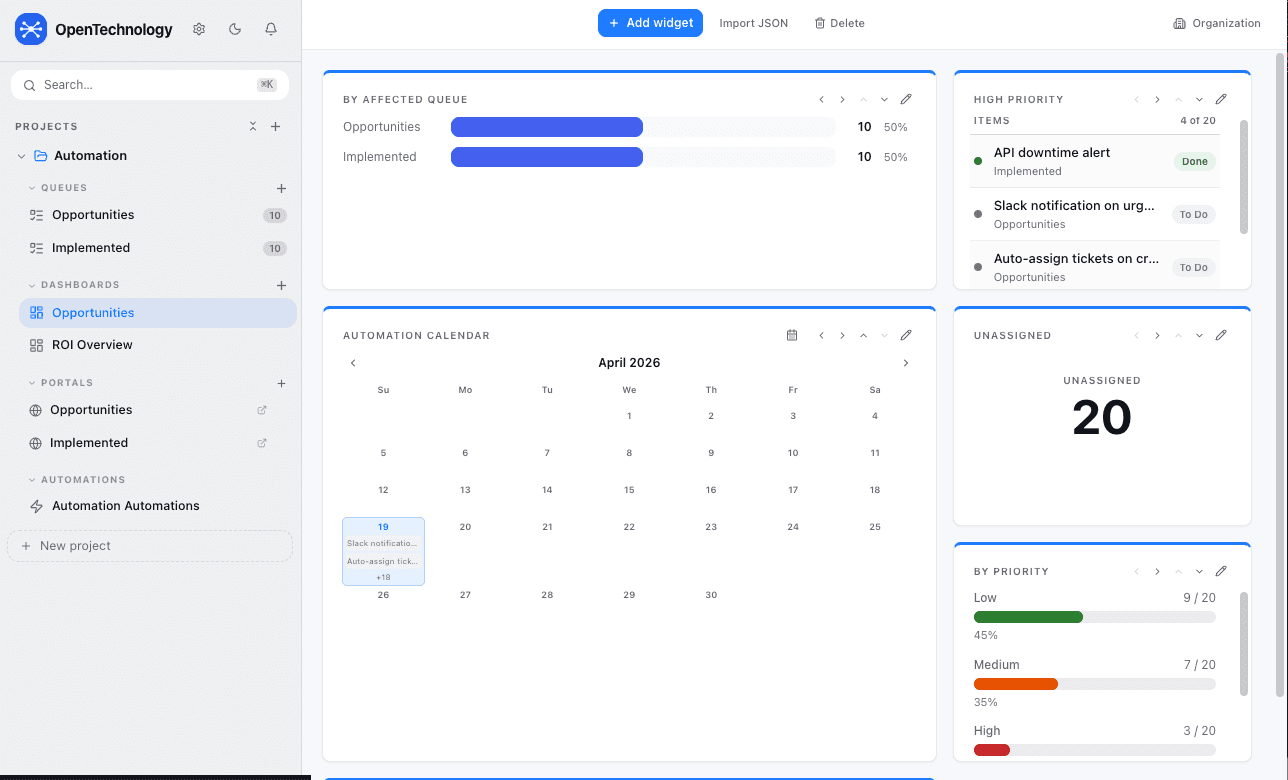
Live dashboards
30+ widget types give teams a real-time view of workload, priorities, and progress — shareable with anyone.
- ✓Gantt, burndown, pivot table, heatmap, funnel, forecast, and more
- ✓Drag-reorderable widget grid with per-widget settings
- ✓Public share links — read-only dashboards without login
- ✓Email subscriptions — daily or weekly snapshot digests
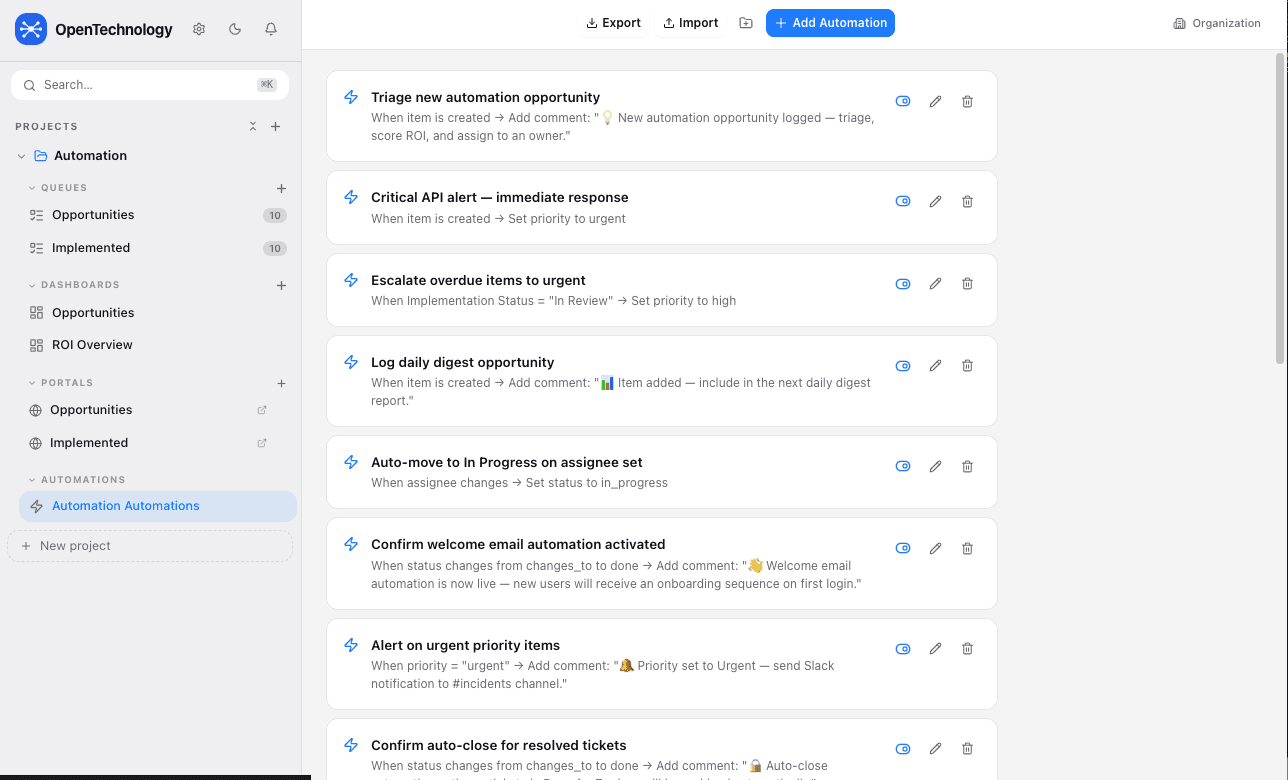
If/Then automations
Trigger-based rules eliminate repetitive manual steps — auto-assign, escalate, comment, or fire webhooks on any item event.
- ✓Trigger on create, status change, field update, due date, or linked item blocked
- ✓Actions: set field, add comment, create child item, send webhook
- ✓Import/export automation configs as JSON for reuse across projects
- ✓Per-project kill switch pauses all outbound actions instantly
Visual flow builder
Drag-and-drop canvas for multi-step workflows with branching conditions, delays, and HTTP requests — no code required.
- ✓Chain multiple actions with conditional branches
- ✓Built-in delay nodes for scheduled follow-ups
- ✓HTTP request nodes for external API integration
- ✓Visual automation map shows trigger-to-action connections across the project
Script editor
Write JavaScript automations with a built-in SDK that runs server-side in a sandbox — for when visual builders aren't enough.
- ✓Full SDK access to items, queues, users, and project data
- ✓Server-side execution in an isolated sandbox
- ✓Combine with triggers or run on demand from the menu
- ✓Script run history and a per-script enable/disable toggle. There is no version-history feature for individual script edits.
AI assistant
In-app AI panel with full org context. Ask questions about your data, generate summaries, or draft item descriptions.
- ✓Customer-provided Anthropic, OpenAI, or Hugging Face connections, configurable per organization. The App does not bill for AI usage — you connect and pay your own provider account.
- ✓Streaming responses with live token display
- ✓Knowledge artifact caching for repeated queries
- ✓API keys stored per-org in Admin settings, not in code
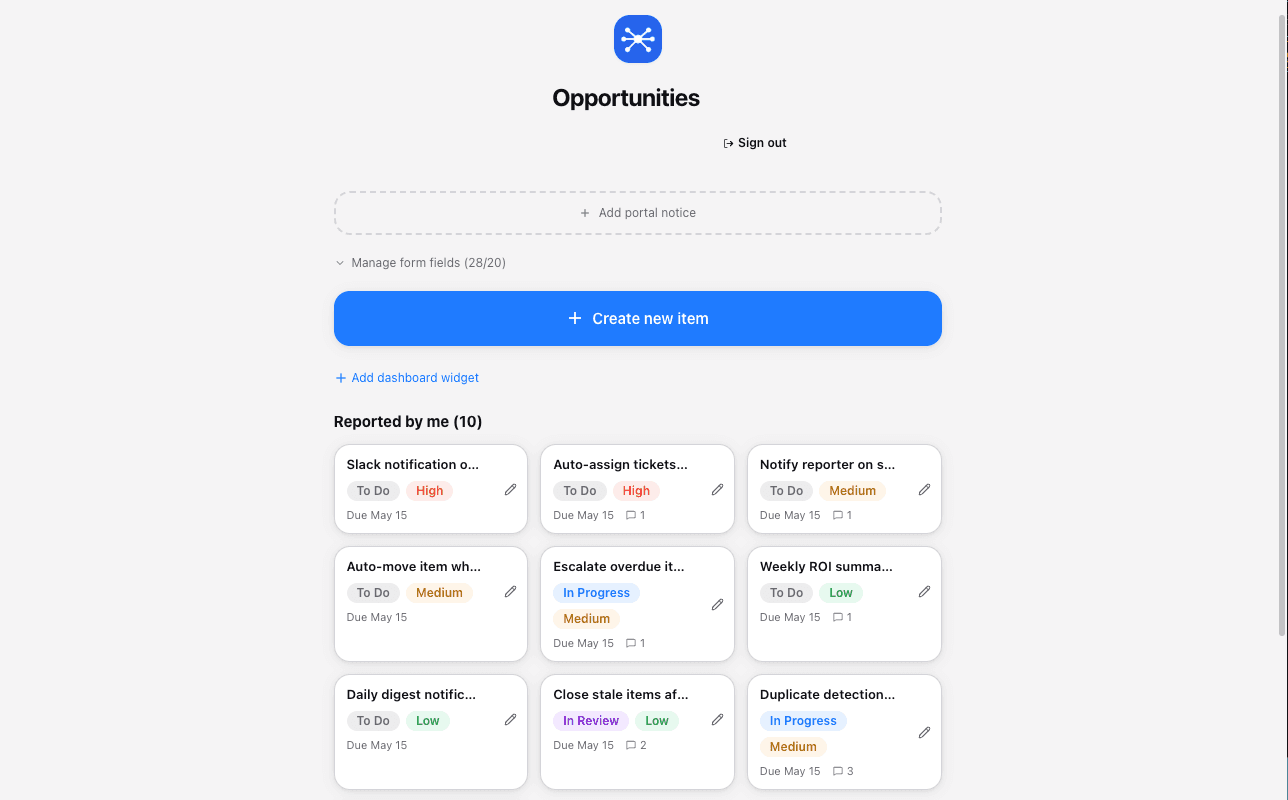
Client portal
An external-facing portal lets clients submit, track, and view their own items without shared logins.
- ✓Organization branding with a queue-specific portal name and notice
- ✓Clients see only their own submitted items
- ✓Public no-login intake; an optional portal account lets clients track their submitted and assigned requests. Branding is org-level with a queue-specific notice; form fields reflect the project's configured fields.
Project files
Per-project file browser with drag-and-drop upload, virtual folders, and inline preview for images, PDFs, and text.
- ✓25 MB per file, stored in Supabase Storage
- ✓7-day signed share links for external collaboration
- ✓Per-plan storage quotas (Free: 100 MB, Starter: 1 GB, Pro: 10 GB)
- ✓Inline preview for images, PDF, and text files
Integrations
Connect to external systems with DB sync, ingest APIs, a Chrome extension, and email inbound routing.
- ✓DB Sync: pull from PostgreSQL, MySQL, REST APIs, or Google Sheets
- ✓External Ingest API with field mapping, dedup, and upsert modes
- ✓Chrome Extension: quick-add items from any page, scrape tables, AI sidebar
- ✓API keys (tmsk_ prefixed) for programmatic access
By project
Projects group related queues, dashboards, portals, and automations into one organized space.
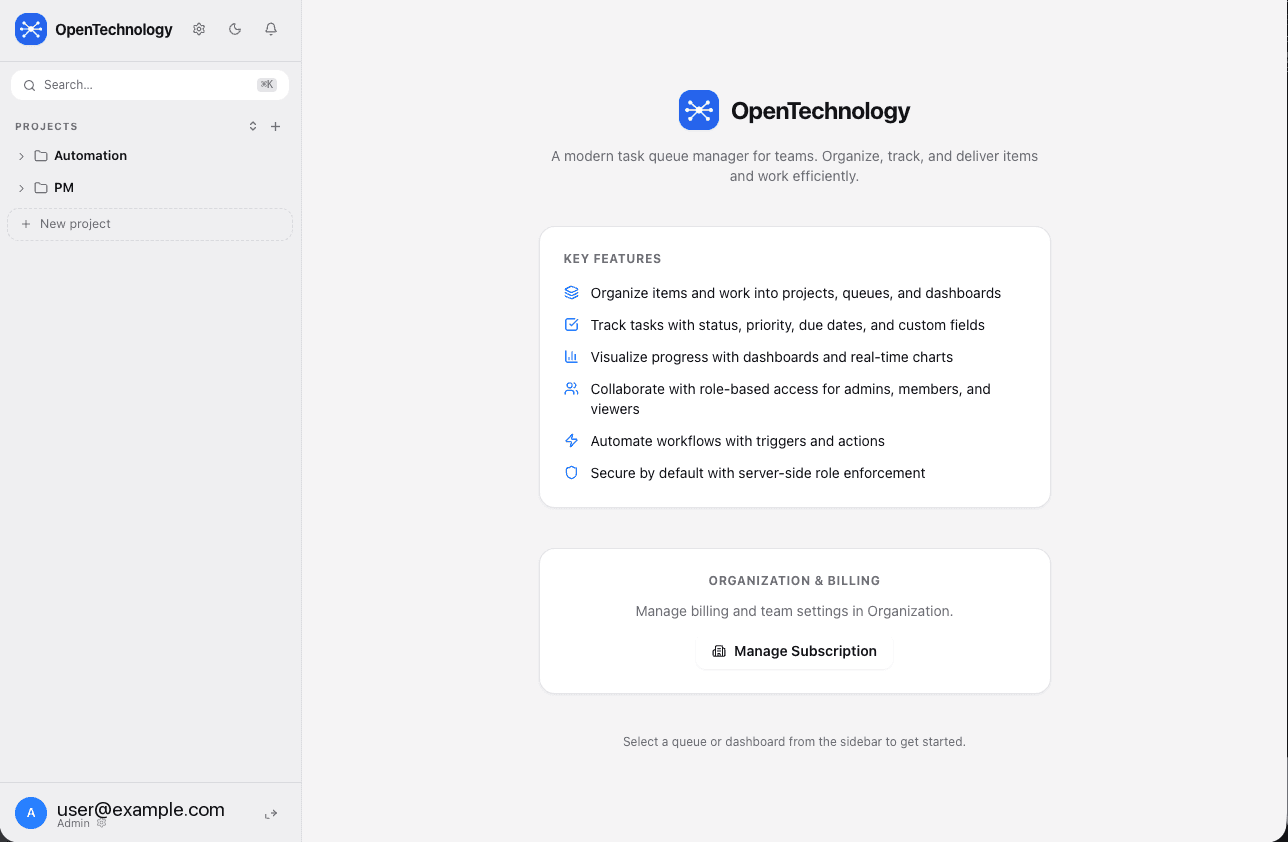
- ✓Role-based access: Admin, Member, Viewer — all enforced server-side
- ✓Project folders for sidebar organization
- ✓Showcase projects for templates and read-only sharing
- ✓Five ready-to-use templates plus Blank: Project Management, IT Device Audit, Job Hunter — Search & Auto-Apply Pipeline, Extend Platform — Stream + Content Ops, Access Automation — Google Lifecycle, Site Monitoring
Access control
Role-based access enforced server-side. A demoted user's next request is rejected immediately — no restart, no delay.
| Role | Permissions |
|---|---|
| Admin | Manage users, all settings, automations, billing, and full data access. Read/write items, comments, and time entries. |
| Member | Read/write access to items, comments, and time entries, subject to owner-configurable create, edit, delete, export, and project-creation permissions. |
| Viewer | Read-only access to granted work. No item, comment, or time mutations — enforced server-side. |
Get in Touch
Interested in a topic? Drop a note and select a category. I'm also available for a free consultation meeting — reach out and we'll set something up.